
Step-by-Step Personal Income Tax (PIT) Filing
Form: 02/KK-TNCN
Step 1: Access the Portal
Go to the public service portal at dichvucong.gdt.gov.vn/tthc/homelogin and log into your account.
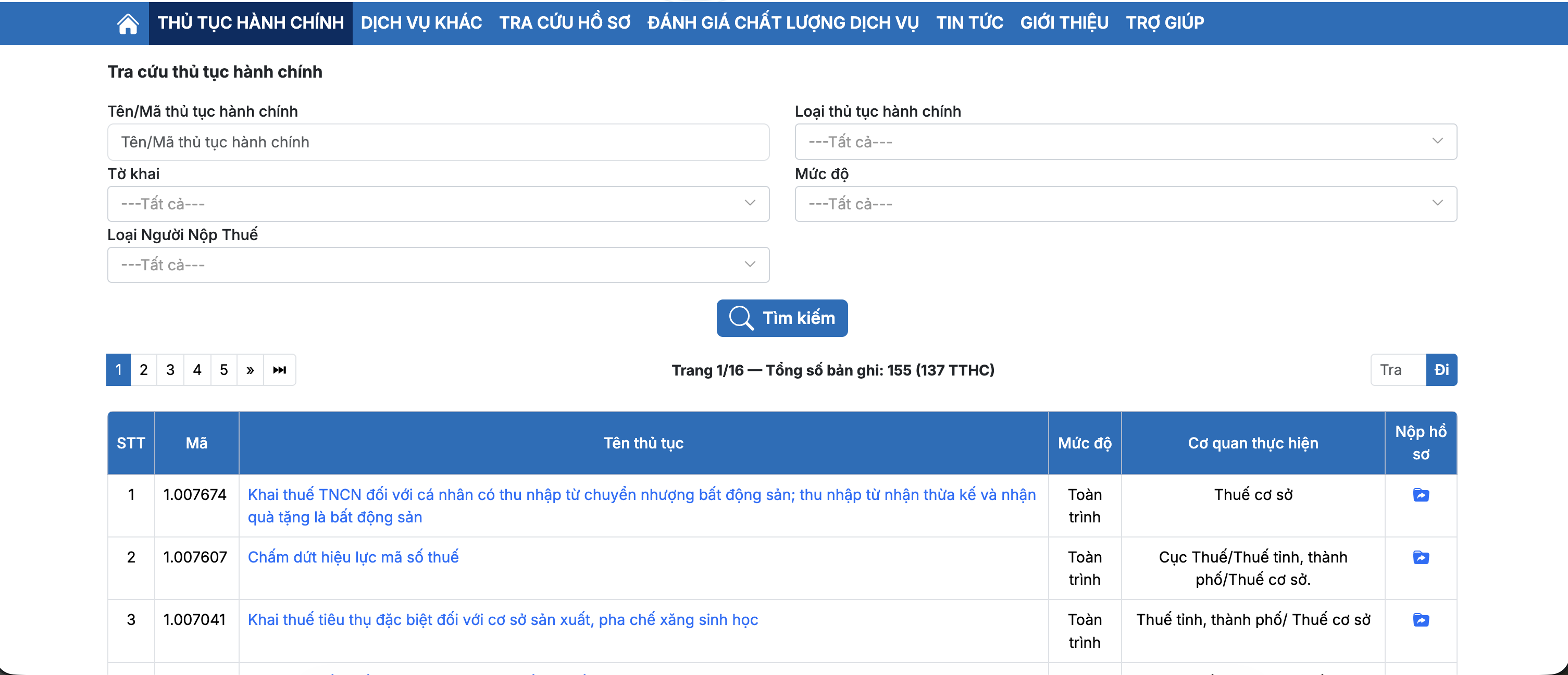
Step 2: Select Administrative Procedures
Navigate to and select Administrative Procedures (Thủ tục hành chính).
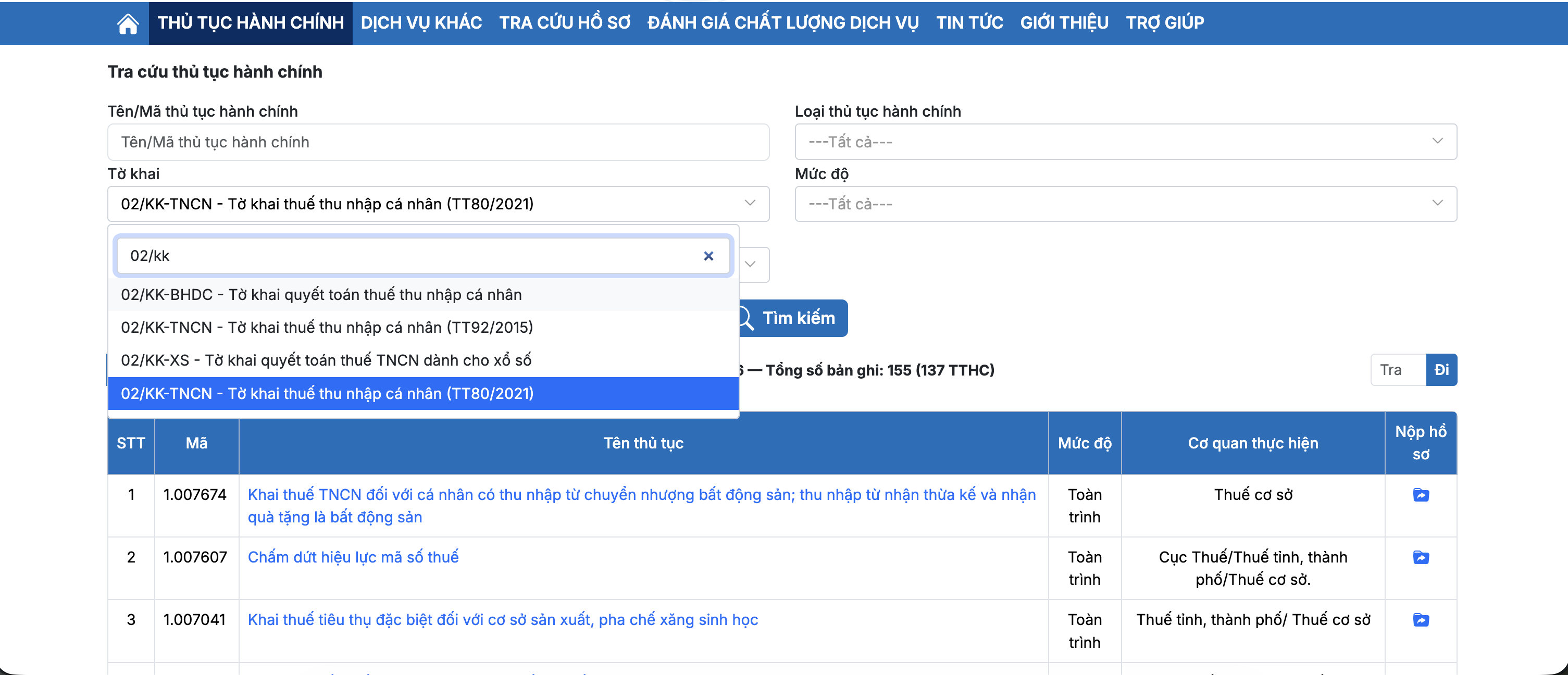
Step 3: Choose the Tax Declaration Form
Locate and select Form 02/KK-TNCN (Tờ khai 02/KK-TNCN).
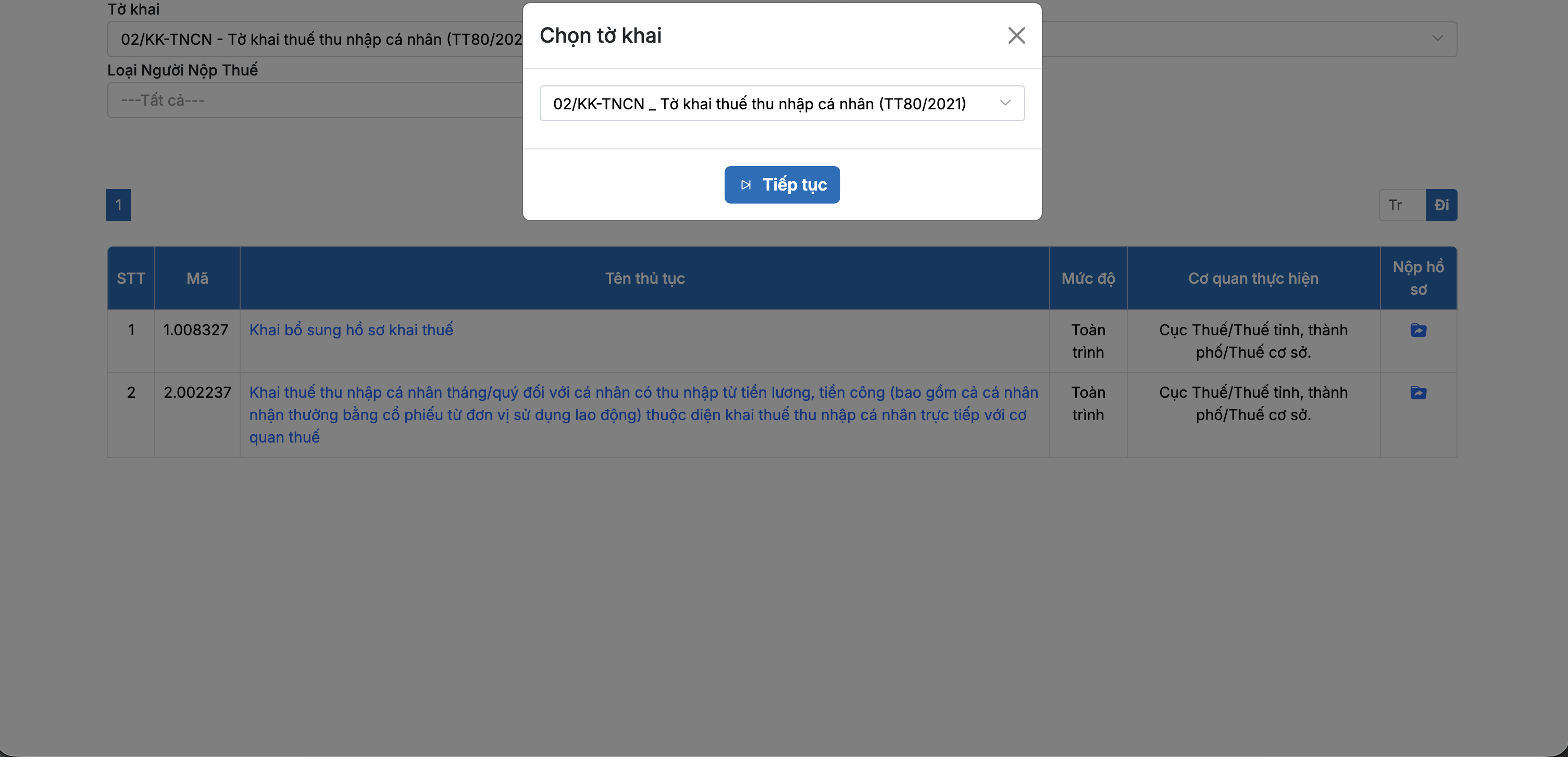
Step 4: Select Tax Filing
Click on File Tax Return (Khai thuế), usually listed under Section 2.
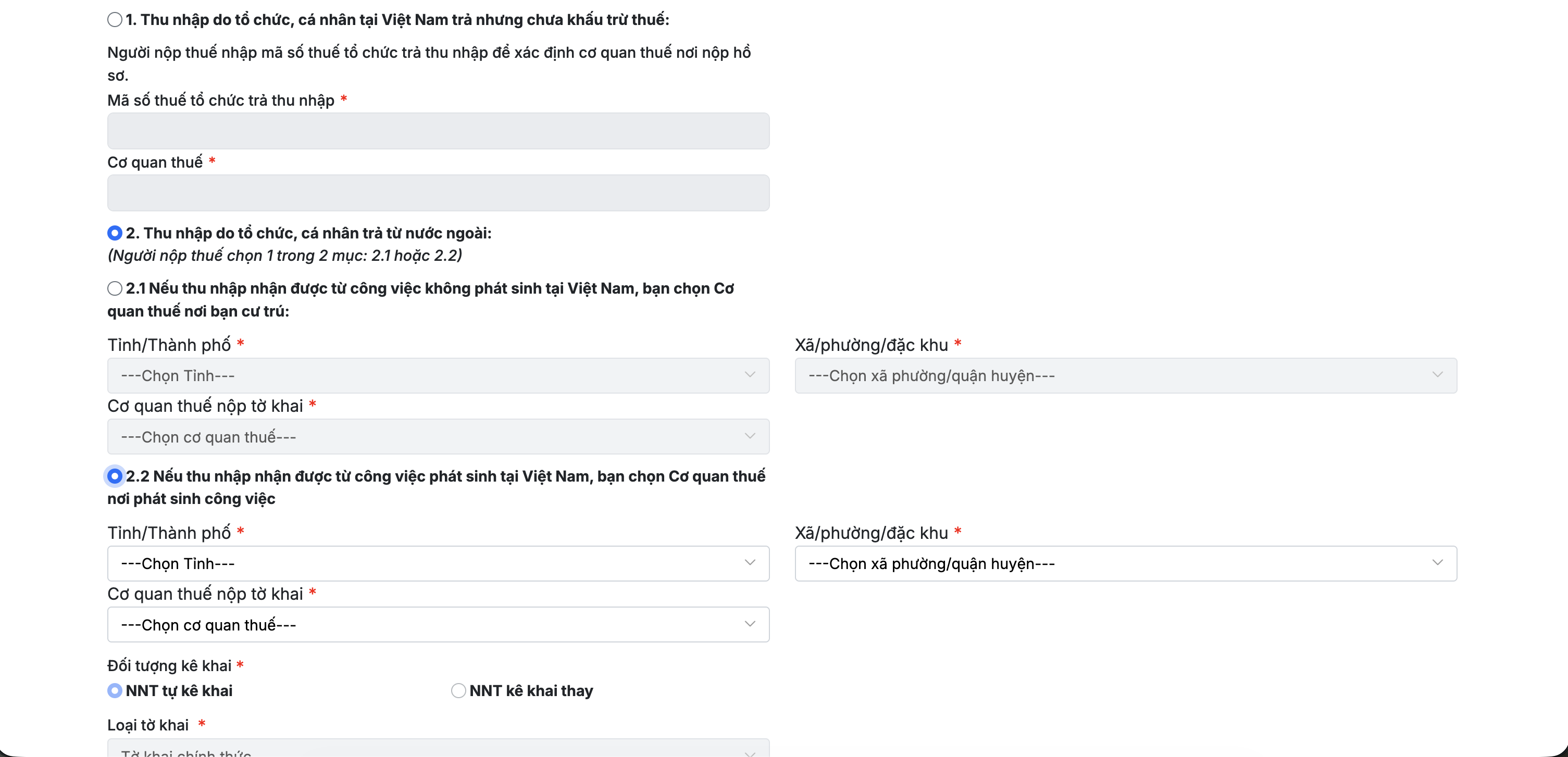
Step 5: Fill in the Information
Select Section 2 and sub-section 2.2.
Choose the relevant Quarter (Quý) for your declaration and click Continue (Tiếp tục).
Step 6: Complete & Submit
Fill out the remaining required fields in the return. No additional supporting documents are required to be attached for this step.
Tip: Keep a digital copy or screenshot of your tax submission reference number once completed for your records.
Be the first to leave a comment.
Leave a comment